
For print shops that don't want to retype details
From quote to invoice
The customer confirms the quote and adds an address. From one screen you issue the document and the label. Nothing gets retyped into another system.
The customer confirms the order themselves
Documents and labels from one screen
Next time you already have the details
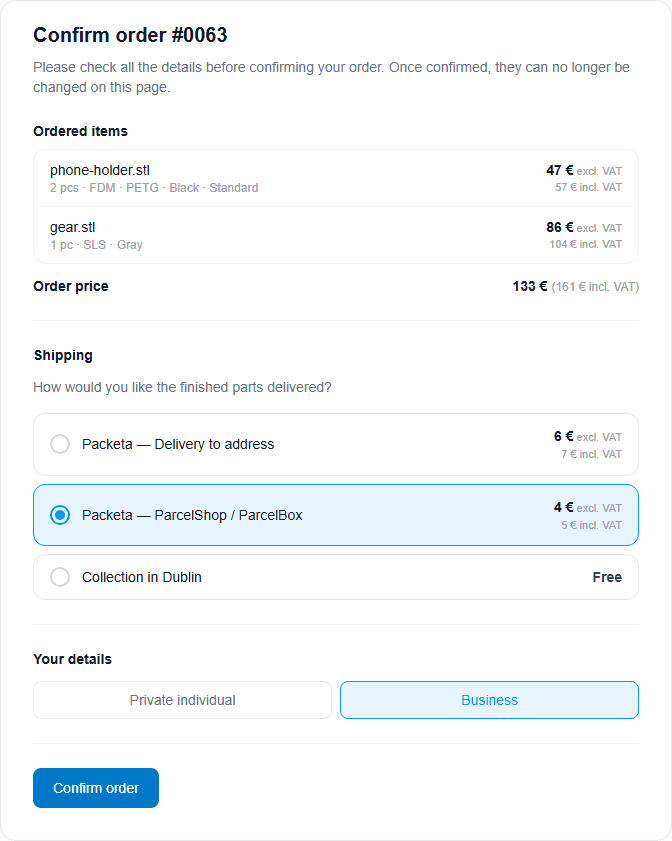
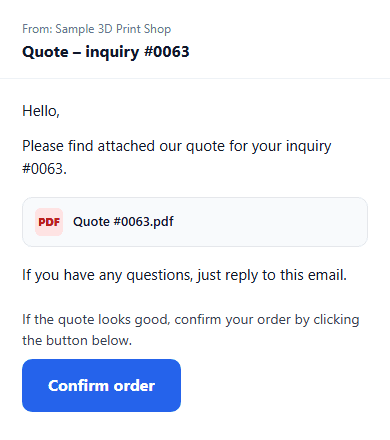
The customer confirms the order themselves
You send a quote. On one page they check the price, add their details and pick shipping — including a locker. It lands with you as a confirmed order.
- You no longer chase billing details over email.
- The link lasts 30 days and can be confirmed only once.
- The details go onto the customer card. Next time you have them.
The whole order on one screen
When the customer confirms, you have items, price, the customer, documents and the shipment in one place. You check, then click what to send.
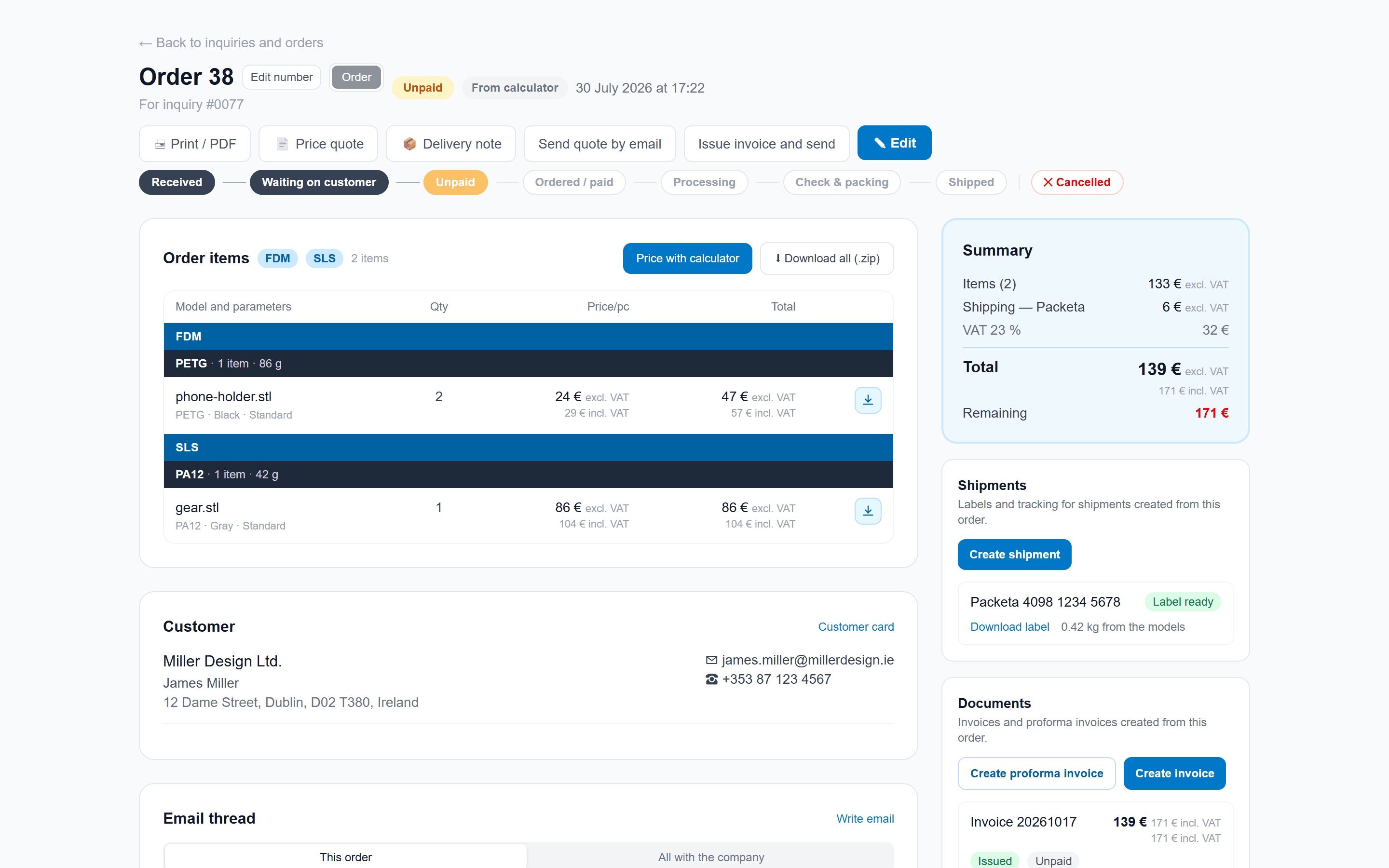
What you click on that screen
The details are already there — from the calculator and the confirmation. You just choose what goes out.

You send it to the customer
- A price quote as a PDF, by email, or as a copied link.
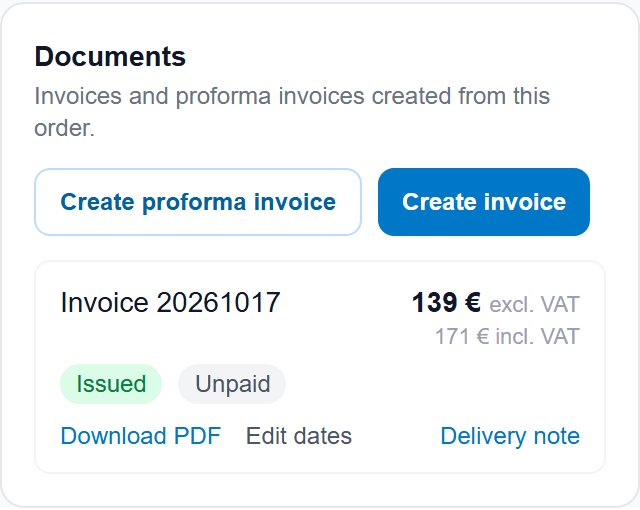
- A proforma, invoice and credit note. On the document you see whether it's paid.
- A delivery note without prices — you print it for the parcel.
You edit the order
- Items, quantities and prices. Missing a part? Price it in the calculator.
- You add from that customer's history, or copy the whole order.
- You switch prototype and order, edit the number, write a note.
Label, card, history
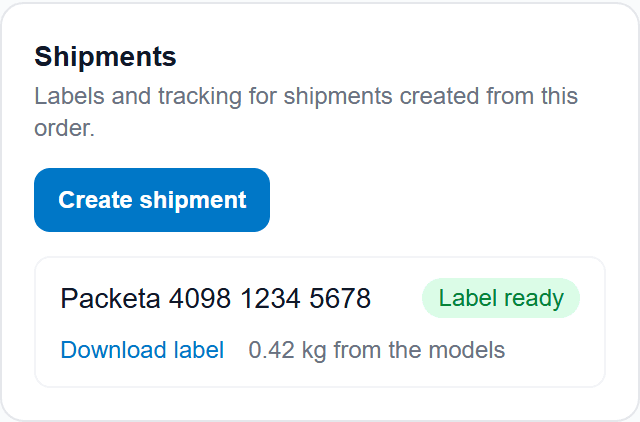
- You download the label on the order. The tracking number updates itself.
- The customer card is created from the inquiry. Next time billing and delivery are pre-filled.
- You see what happened on the order. If you connect the inbox, the emails too.
A list of inquiries and orders
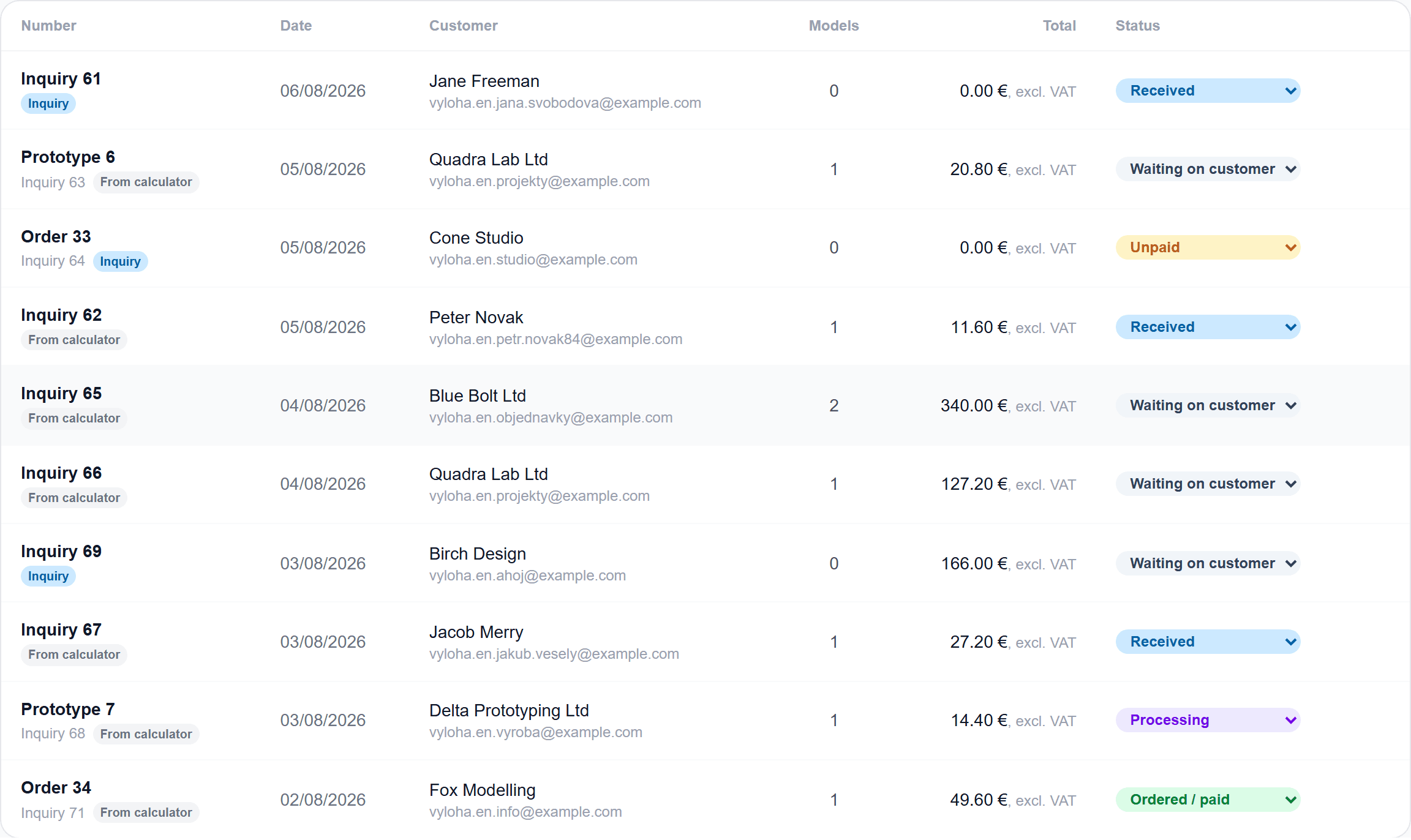
One list: inquiry, prototype and order. You filter by type and status, and search by number, name or email. A paid invoice lives on the order, not in the table.
Connected to your world
There are plenty of carriers and invoicing systems. If yours isn't here yet, write to us — we'll add it. You connect it in admin, no coding.
Today, for example iDoklad · SuperFaktura · PPL · Packeta
Tell us which system you useFrequently asked questions
No. Details from the order confirmation carry over — onto the document, to the carrier and onto the customer card.
Didn't find your answer? Email us at info@volaryx.com — we reply quickly, and we're actual people.
Your calculator could be pricing jobs today.
Sign up for free, set your prices, and put the calculator on your site with one line of code. No card, no commitment.