
For print shops that don’t want to hunt a job across three windows
Everything in one place
A 3D print inquiry, the order and the money. One board, one overview — no spreadsheet and no digging through email.
A board, not a spreadsheet
The customer has a card, not a row
An overview of the money in it
A board, not a spreadsheet
Every inquiry is a card. It arrives, it sits in Received, you open it and move it on — or back. Done jobs go to the archive so the columns don’t grow forever.
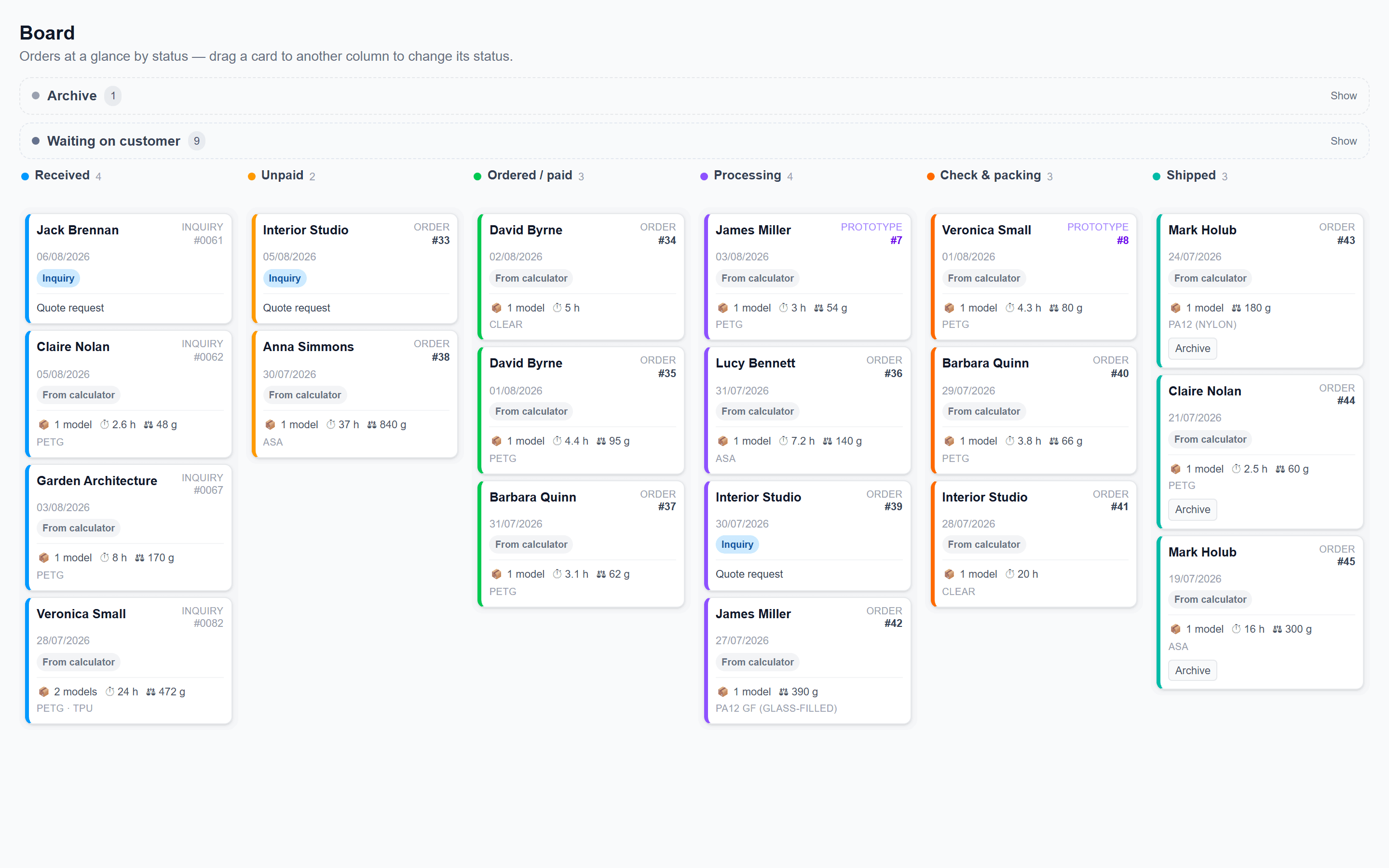
Columns from the left: Received, Unpaid, Ordered / paid, Processing, Check & packing, Shipped.
Received
A new inquiry from the calculator lands here on its own. The card already shows the name, material, time and weight — before you open it.
A click opens the whole job
Price, files, customer. You don’t assemble the job from five windows.
You drag cards — and back again
Move it between columns with the mouse. Wrong column? Drag it back. Nothing is lost, it just moves.
Waiting on customer
Archive, so Shipped doesn’t grow
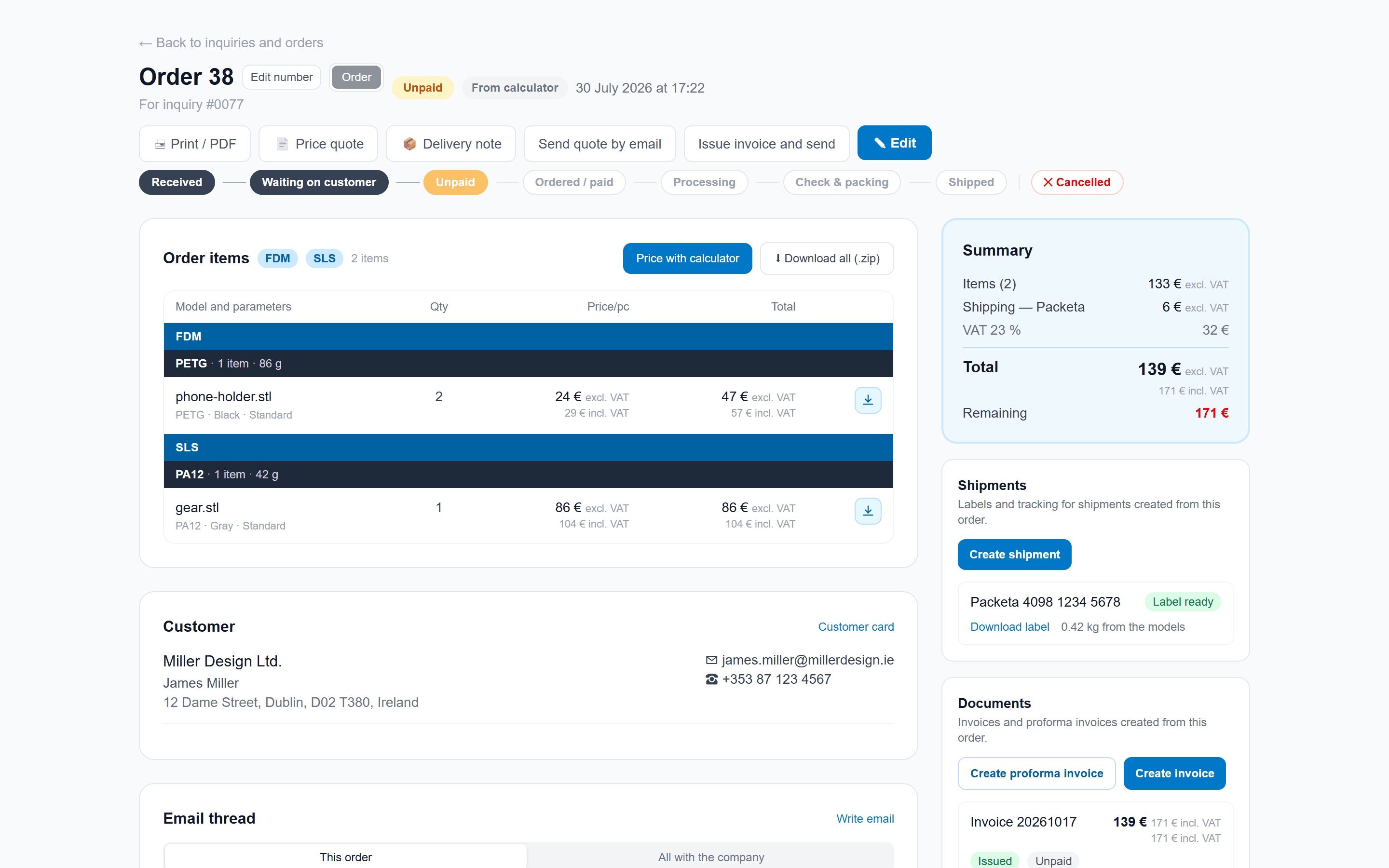
Even one job is in one place
Open the card and you have items, price, customer and files together. You don’t assemble the job from five windows.
- Who asked, what is printing and for how much — on one screen.
- Files and figures from the calculator are already there. You don’t go looking.
- Quote and invoice buttons live on the other page. Here it is about seeing the whole job.
The customer has a card, not a spreadsheet row
An inquiry becomes a card. The same email or company ID is merged — next time you already have the details. In the list they sit side by side; you open each one on its own.
- Same email = same card. Company IDs merge so one firm does not appear twice.
- You see what they printed with you last. No digging through old mail.
- Address and shipping from last time stay on the card. The next job is pre-filled.

An overview of the money in it
One screen shows statuses, money and who prints with you. No stacking spreadsheets.
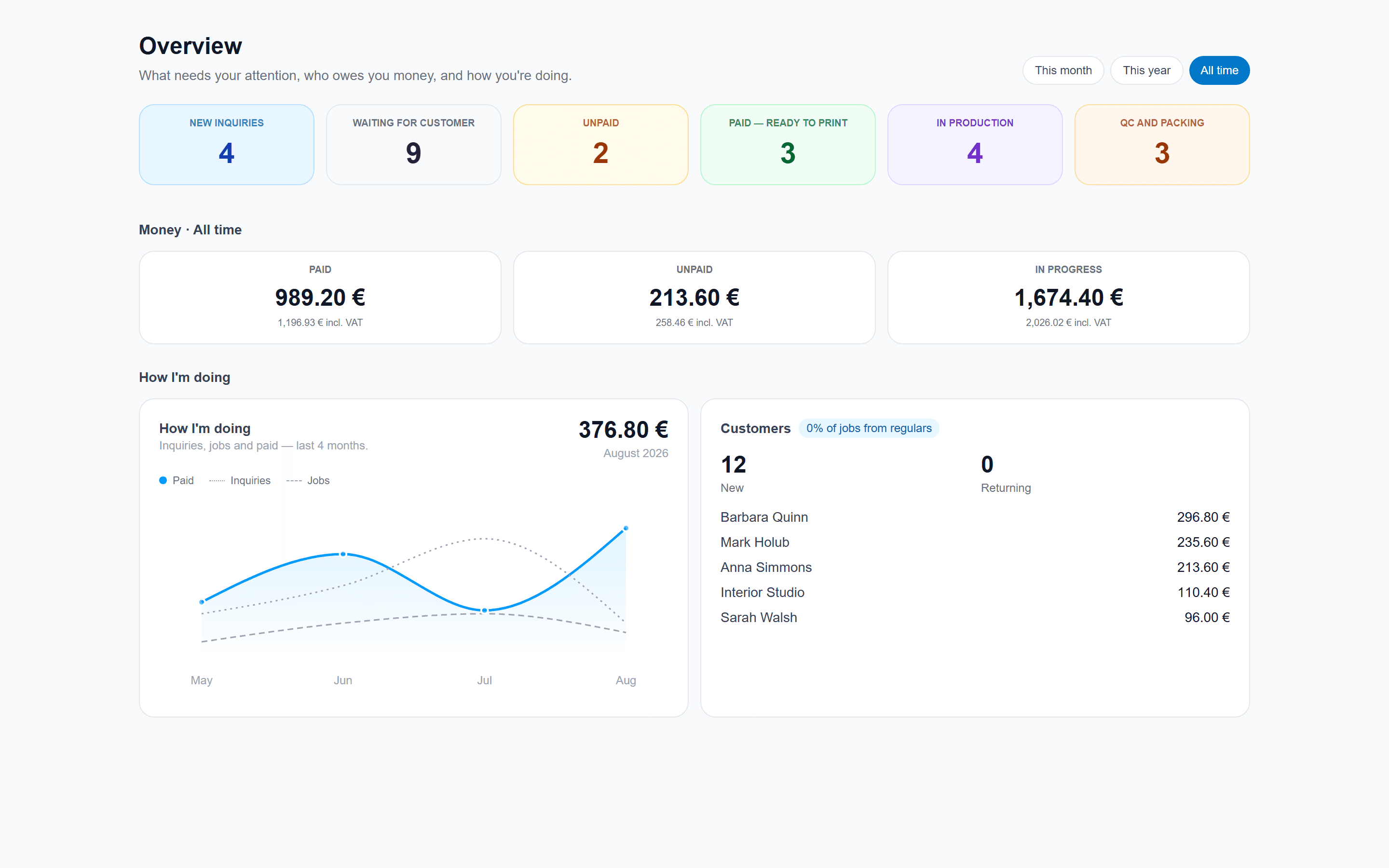
Paid
Unpaid
In progress
Once you connect invoicing, more columns appear — invoiced, overdue. Still in the same place.
Frequently asked questions
No. Inquiries from the calculator appear on their own. The board, customer history and overview run without a mailbox. A connected inbox is optional — it saves switching, but it is not required.
Didn't find your answer? Email us at info@volaryx.com — we reply quickly, and we're actual people.
Your calculator could be pricing jobs today.
Sign up for free, set your prices, and put the calculator on your site with one line of code. No card, no commitment.